Accounts, roles and invitations
The function described exists and is tested; the page also states what it does not do.
Inviting the institution's staff, assigning roles, setting a delegation limit, suspending or deactivating an account from ADMIN.
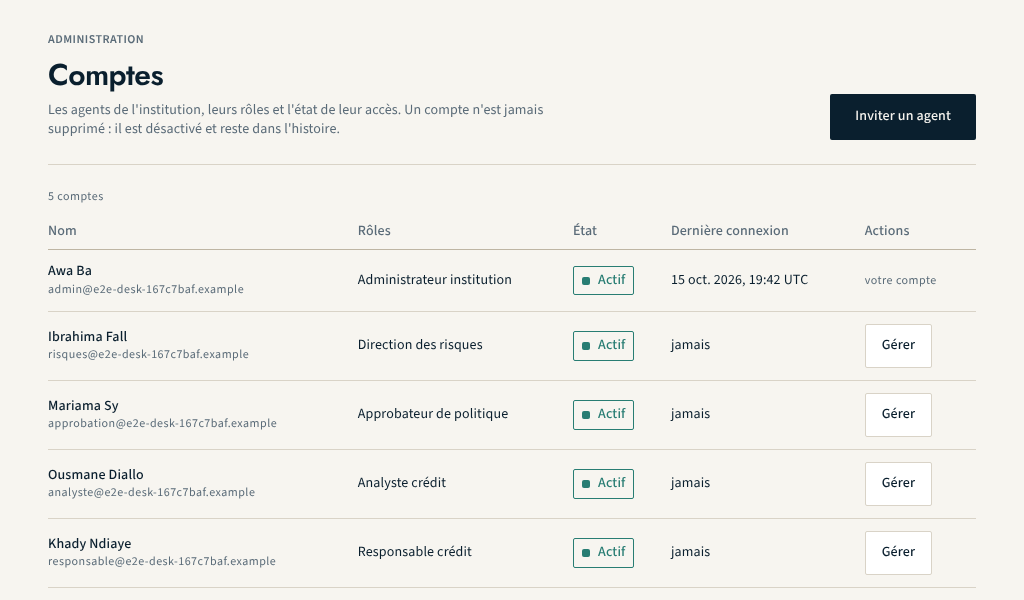
The ADMIN module lets the institution administrator create accounts for their teams and grant their rights, without any involvement from NEXCLARA. The "Accounts" screen lists the institution's staff, their roles, the state of their access and their last sign-in.
ADMIN also holds the institution's compliance settings: "Consent purposes", "Retention and purge" (provisional periods to confirm, purges and their attestations), "Data subject rights" and "Compliance report". This page covers accounts and roles.
Roles
Roles are grouped into three families that cannot be combined: the same account cannot configure, decide and audit.
| Family | Role | What it allows |
|---|---|---|
| Configuration | Institution administrator | accounts, roles, credit products, custom fields, integrations; consent purposes, retention periods and purges, data subject rights |
| Configuration | Risk management | policy parameters, simulation, submission for approval |
| Configuration | Policy approver | approve or reject a submitted policy, never their own |
| Decision | Credit analyst | enter, view and submit applications |
| Decision | Credit manager | decide within their delegation limit; any departure is justified |
| Audit | Audit and compliance | full read access to the trails, compliance report, consents and data subject requests read-only; no modification right |
A seventh role, "NEXCLARA support", belongs to none of these families: it is reserved for the identity of an exceptional access and no administrator can assign it. Within the same family, several roles can be combined. Rights are enforced by the server: hiding a button in the interface never grants or removes anything.
Inviting a staff member
- Open Administration › Accounts, then "Invite a member of staff".
- Enter the email address, the email language and the roles.
- Send: the invitation is valid for 72 hours and can be used only once.
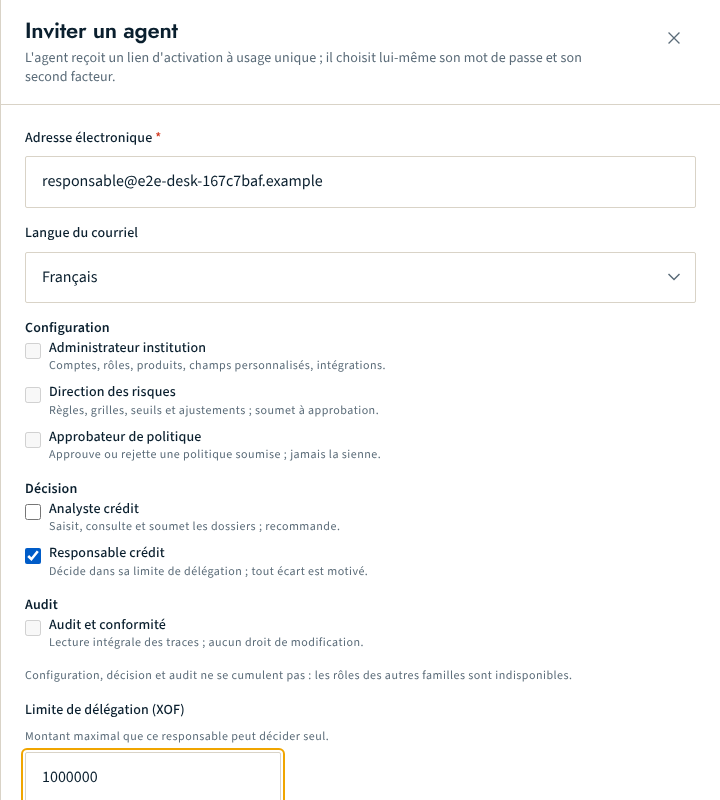
When an email transport is configured, the person receives the activation link by email. Otherwise, the screen shows the link only once to the administrator, who passes it on through a safe channel. A pending invitation can be revoked. The person chooses their own password and enrols their second factor: see Signing in and two-factor authentication.
An administrator can only grant, by invitation, roles that they could assign directly. Inviting a future administrator also requires a step-up verification of the second factor.
Managing an account
From "Manage", the administrator can:
- change the roles of the account, within a single family;
- set the delegation limit of a credit manager, in the institution's base currency: this is the maximum amount they can decide alone;
- suspend and then reactivate an account;
- permanently deactivate an account.
These actions require a step-up verification of the second factor. Suspending or deactivating an account immediately revokes all its sessions.
Separation rules enforced
- nobody changes their own roles, or suspends or deactivates their own account;
- the institution's last active administrator can be neither removed from that role, nor suspended, nor deactivated;
- only a credit manager carries a delegation limit.
An account is never deleted. A person who took recorded decisions remains in the institution's history: the account is deactivated, not erased. Every administration action is written to the institution's audit trail.
What this function does not do
- no delegation by branch or by score level: delegation depends on the amount only;
- no dual approval when granting the administrator role;
- no deletion of a former staff member's personal data: the retention rules (ADMIN › "Retention and purge") cover application data, not staff accounts.
About this page
- Editorial status
- Approved
- Written by
- Équipe produit NEXCLARA
- Reviewed by
- claude-relecteur-independant
- Approved on
- October 16, 2026
- Revision
- 3
- Updated
- October 16, 2026
- Classification
- Public