Entering and submitting an application
The function described exists and is tested; the page also states what it does not do.
Creating an application in DESK, following its completeness, saving it as a draft and submitting it to the decision engine.
DESK is the workstation of credit analysts and credit managers. It holds the institution's worklist, application entry and the result screen. This page describes entry and submission; reading the result is described in Reading a result.
The worklist
The "Applications" screen lists the institution's applications, most recently modified first. For an evaluated application, it shows the recommended outcome and the score of its latest evaluation, and can be sorted by score, ascending or descending; applications without a score always come last. They can be filtered by status and by the beginning of the application or applicant reference (two characters at least), and restricted to your own applications.
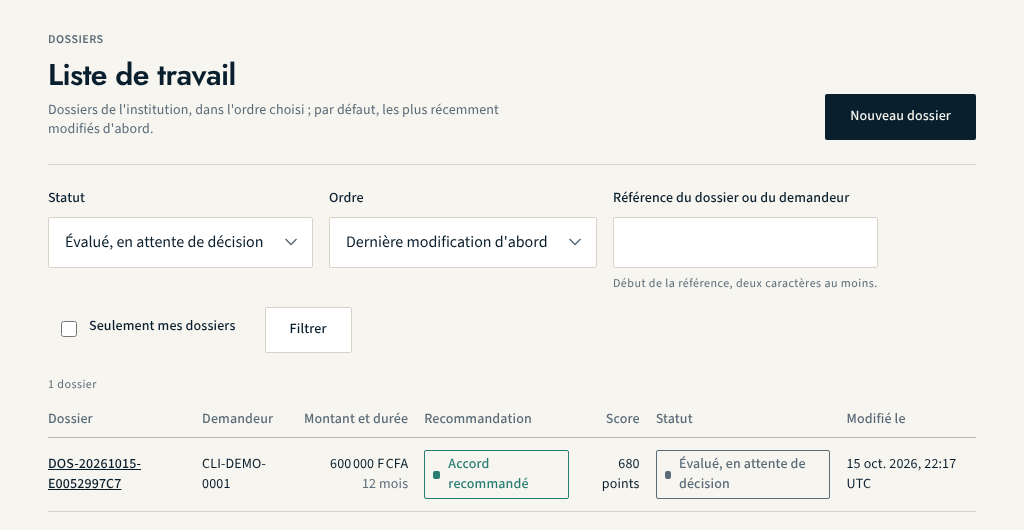
| Status | Meaning |
|---|---|
| Draft | being entered, not yet evaluated |
| Evaluated, awaiting decision | submitted to the engine, awaiting a person's decision |
| Escalated | beyond the delegation of the person who examined it |
| Decided | a human decision has been recorded |
Creating an application
- Choose "New application", then the credit product. Only active products governed by a policy in force are offered.
- Fill in the applicant: their type (natural person or legal entity) and their reference in the institution's system. No identity data is requested: NEXCLARA works on a reference, not on a name.
- Fill in the application fields. They come from the data contract of the policy in force: a field the policy does not read is not requested.
- Save: the application is created as a draft. An invalid value is refused when saving, field by field, with the reason.
The completeness indicator
During entry, the screen shows the number of fields filled in and the list of those still empty. After each save, it shows the completeness computed according to the policy. Some fields are marked "not applicable" depending on other answers: they do not count as missing.
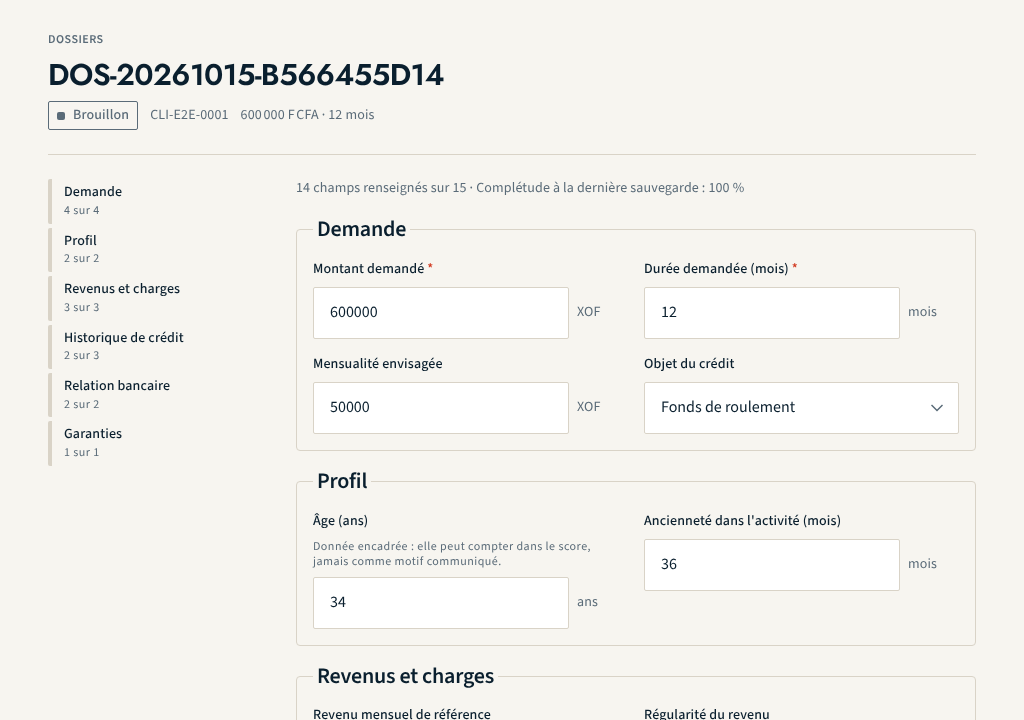
Completeness is not decorative. Below the threshold set by the institution, or as long as no threshold is set, the engine never recommends an approval: an application the score would have approved goes to review, and the screen says why. The platform prefers to state that it has too little information rather than produce a falsely precise figure.
Submitting to the engine
"Submit to the decision engine" evaluates the application under the policy in
force at the time of submission. The evaluation is recorded once, with its
inputs, its trace and its explanations, and never changes. The application
moves to "Evaluated, awaiting decision". A submission is refused if it falls
outside the institution's subscribed scope, for example beyond the number of
evaluations planned for a pilot. It is also refused, with the code
CONSENT_REQUIRED, if the institution has defined a consent purpose that
conditions the evaluation and the applicant has not consented to it: the
"Consents" tab of the record shows the state of each purpose.
The person who entered an application cannot decide it: the decision belongs to a credit manager, within their delegation. See Deciding within your delegation.
What this function does not do
- No data correction after submission: the entry of a submitted application can no longer be modified. Only the purge set by the retention periods, or an accepted erasure, empties it; the decision and the trace remain. A re-evaluation is only possible under a policy that has become applicable since the previous evaluation.
- On-screen entry records neither the source nor the extraction date of each value; this provenance exists only for applications imported by file.
- The applicant history shows the applications and decisions known to the platform; it shows no "outstanding credit", for lack of a source.
About this page
- Editorial status
- Approved
- Written by
- Équipe produit NEXCLARA
- Reviewed by
- claude-relecteur-independant
- Approved on
- October 16, 2026
- Revision
- 3
- Updated
- October 16, 2026
- Classification
- Public